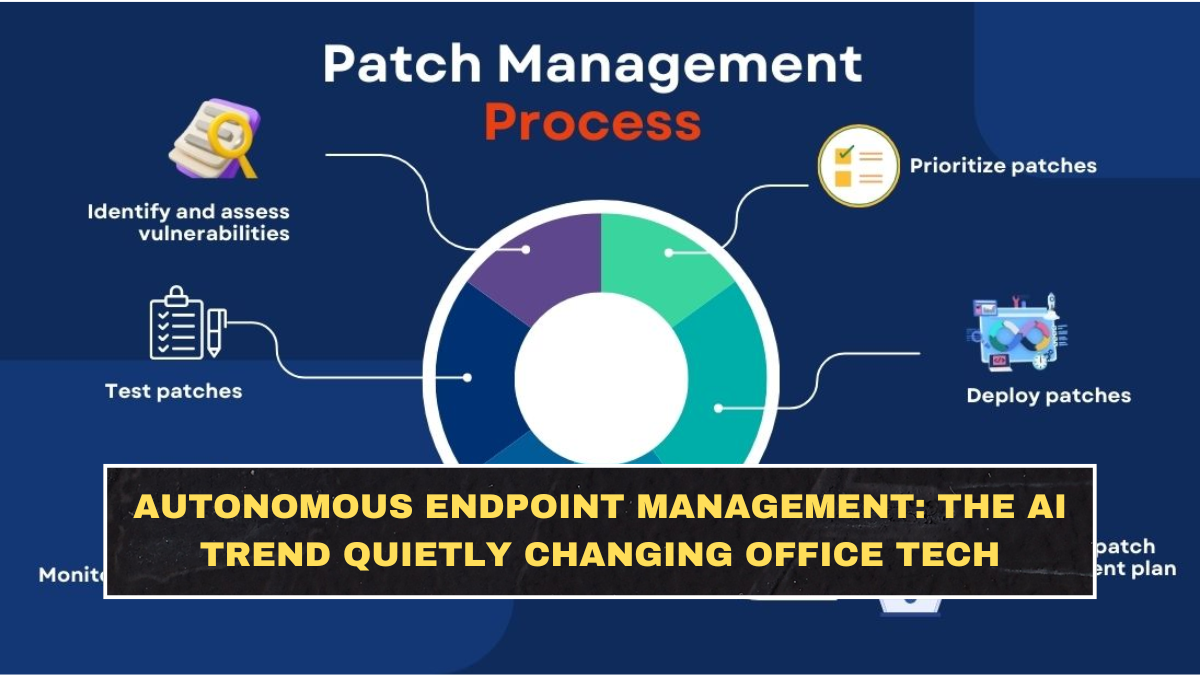
Autonomous endpoint management means using AI and automation to monitor, manage, secure, and fix workplace devices with less manual human effort. An endpoint can be a laptop, desktop, mobile phone, tablet, server, point-of-sale device, or any work device connected to a company’s systems.
Traditional endpoint management is reactive. A device breaks, an employee raises a ticket, IT investigates, and someone applies a fix. Autonomous endpoint management tries to reverse that model. It detects issues earlier, recommends actions, automates known fixes, and reduces the number of problems employees even notice.
TeamViewer describes its digital workplace platform as combining real-time endpoint visibility, insights, and automated remediation to prevent IT issues before they disrupt work. That is the core idea behind this trend: office technology should not wait for employees to complain before it starts solving problems.
Why Are Companies Moving Toward Autonomous Endpoint Management?
Companies are moving toward autonomous endpoint management because IT teams are overwhelmed. Modern businesses run on remote work, cloud apps, security tools, personal devices, SaaS platforms, and distributed teams. Every employee expects their device, login, app access, VPN, updates, printer, and collaboration tools to work without delay.
That expectation creates huge pressure on IT support. If every issue becomes a manual ticket, support teams become slow and expensive. AI can help by detecting repeated problems, generating scripts, recommending fixes, automating patching, and reducing downtime. Microsoft says Security Copilot in Intune can streamline management decision-making and resolution time with actionable recommendations and AI-powered guidance.
| Endpoint Problem | Old IT Approach | Autonomous Approach |
|---|---|---|
| App crashes repeatedly | Employee raises ticket | AI detects pattern and suggests fix |
| Device is outdated | Manual update tracking | Automated patching and compliance checks |
| Login or access issue | Helpdesk investigates | AI recommends identity or policy fix |
| Slow laptop | Remote session required | Scripted cleanup or performance remediation |
| Security misconfiguration | Found during audit | Continuous monitoring and alerting |
How Does AI Actually Fix Device Issues?
AI fixes device issues by using data from past support cases, device health signals, error logs, security alerts, user complaints, and known remediation steps. When the same problem appears again, the system can suggest or run a tested fix instead of forcing the IT team to start from zero.
TeamViewer recently introduced AI-driven scripting for Tia, its TeamViewer Intelligent Agent, at the Gartner Digital Workplace Summit 2026. The company said Tia can learn from a customer’s support history and turn proven fixes into automations that IT teams can reuse across devices.
Microsoft is also moving in this direction. Its Intune documentation says Security Copilot agents are AI-powered assistants that help strengthen enterprise security and automate key tasks across endpoint protection, identity management, threat intelligence, and device configuration.
Why Is This Becoming A Big Enterprise AI Trend?
This is becoming a big enterprise AI trend because endpoint management sits at the centre of productivity and security. If employee devices do not work, business slows down. If devices are not secure, attackers get entry points. If patching is delayed, vulnerabilities remain open.
Gartner’s 2026 endpoint management tool listings show vendors competing around automation, autonomous patching, remote access, unified endpoint management, and security-centric management. ManageEngine also said it was evaluated in Gartner’s 2026 Magic Quadrant for Endpoint Management Tools and received strong scores across autonomous endpoint management, unified endpoint management, security-centric management, and frontline device management use cases.
The reason is obvious: companies want fewer tools, faster fixes, better visibility, and lower support costs. The old model of scattered IT dashboards and manual troubleshooting is becoming too slow for modern workplaces.
What Are The Biggest Benefits For Businesses?
The biggest benefit is less downtime. If AI can detect and fix common problems before employees lose hours, productivity improves. A company does not need a dramatic outage to lose money. Hundreds of small device issues every day can quietly damage output.
The second benefit is lower support pressure. IT teams can stop wasting time on repetitive tickets like update errors, app freezes, permission problems, or standard device cleanup. That gives them more time for security, infrastructure, automation design, and strategic work.
The third benefit is consistency. Human technicians vary in experience. One may fix a problem perfectly, while another may miss a step. Approved automations can apply the same tested process repeatedly. That is useful for large companies managing thousands of devices across offices, homes, warehouses, and frontline locations.
What Are The Risks Companies Should Not Ignore?
The biggest risk is bad automation at scale. If a human technician makes a mistake on one laptop, the damage is limited. If an automation script is wrong and runs across thousands of devices, the damage can be massive. Companies that rush into AI without approval controls are asking for trouble.
Security is another risk. AI endpoint tools may need access to sensitive device data, user behaviour, system logs, and configuration details. That data must be protected properly. TechRadar recently noted that enterprise leaders are cautious about full AI autonomy, with many preferring “guided autonomy” where AI handles routine work while humans oversee critical decisions.
This is the part vendors do not always shout about. Autonomous does not mean uncontrolled. Companies need testing, approval workflows, rollback options, audit logs, permission limits, and human review for high-risk actions. Without governance, automation becomes a new failure point.
Will Autonomous Endpoint Management Replace IT Teams?
Autonomous endpoint management will not fully replace IT teams, but it will change what IT teams do. Basic ticket handling, repeated troubleshooting, manual patch checks, and simple configuration fixes will become more automated. That means low-skill reactive support work will shrink.
The valuable IT worker will be the person who can design workflows, review automations, understand security impact, manage policies, and improve the employee technology experience. The technician who only follows scripts will be under pressure. The technician who can build and supervise automation will become more important.
The blunt truth is that IT support is moving from “fix my laptop” to “design a system where the laptop fixes itself safely.” Anyone working in IT who ignores this shift is choosing to become outdated.
Conclusion?
Autonomous endpoint management is quietly becoming one of the most practical uses of enterprise AI. It is not as flashy as chatbots or image generators, but it solves a real business problem: too many devices, too many tickets, too much downtime, and not enough IT capacity.
The opportunity is real, but so is the risk. AI can help companies detect problems earlier, automate known fixes, improve security, and reduce support workload. But without controls, testing, and human oversight, it can also spread mistakes faster than any manual IT process. The winners will be companies that use guided automation, not blind automation.
FAQs
What Is Autonomous Endpoint Management?
Autonomous endpoint management is the use of AI and automation to monitor, secure, update, and fix workplace devices with less manual effort from IT teams. It helps companies manage laptops, phones, desktops, and other connected devices more efficiently.
How Is It Different From Traditional IT Support?
Traditional IT support usually reacts after an employee reports a problem. Autonomous endpoint management tries to detect issues earlier, suggest fixes, automate known solutions, and prevent repeated tickets before they disrupt work.
Can AI Fix Laptop And Software Problems Automatically?
Yes, AI can help fix common laptop and software problems by using device data, past support history, scripts, and approved remediation workflows. However, risky fixes should still require human approval and testing.
Is Autonomous Endpoint Management Safe?
It can be safe if companies use strong controls, audit logs, approval workflows, testing, rollback options, and security rules. Without governance, automated fixes can create large-scale mistakes or security risks.