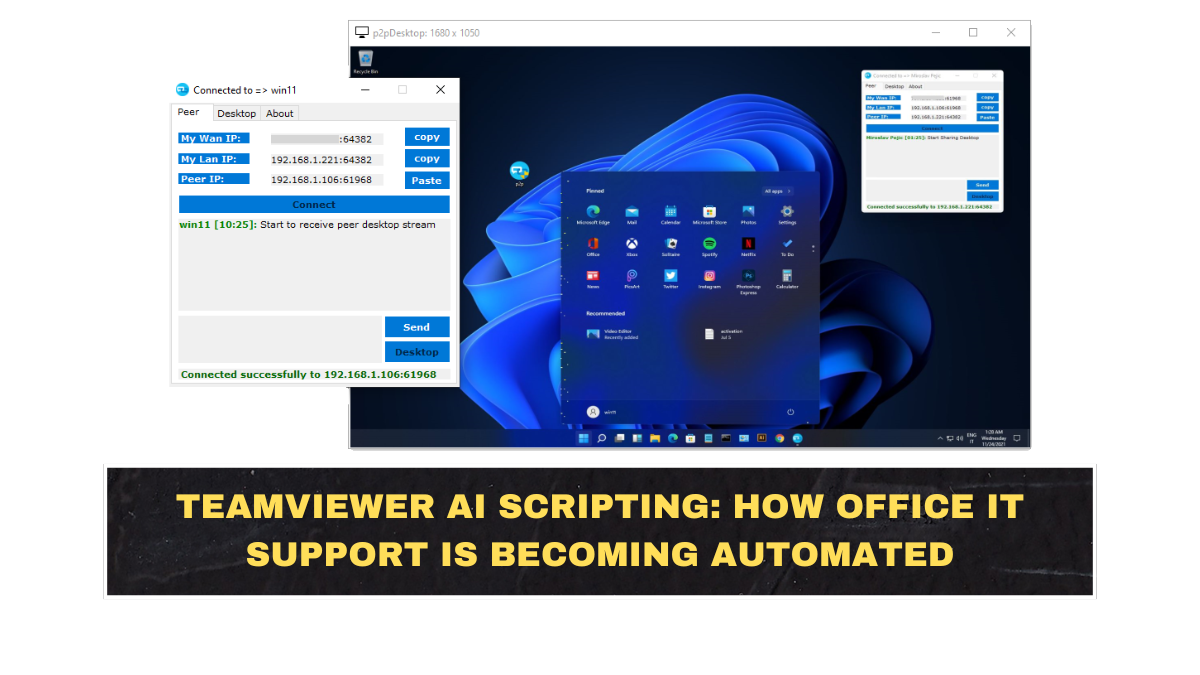
TeamViewer’s new AI scripting feature is designed to help IT teams turn previously solved support issues into ready-to-run automations. The company introduced the capability for Tia, its TeamViewer Intelligent Agent, at the Gartner Digital Workplace Summit 2026 in London. According to TeamViewer’s announcement, Tia can now learn from an organisation’s support history and convert proven fixes into scripts that can be reused across devices.
This matters because many office IT problems are repetitive. Employees face login errors, app crashes, configuration problems, update failures, device slowdowns, VPN issues, and printer or software faults. Instead of making an IT agent manually repeat the same fix again and again, AI scripting can help standardise the solution.
But companies should not misunderstand this. AI scripting does not mean IT teams can disappear. It means routine troubleshooting can become faster and more consistent, while human IT experts focus on complex, risky, or sensitive problems. Automation is useful only when it is controlled properly.
How Does AI Scripting Work In Simple Terms?
AI scripting works by studying support history and identifying fixes that have already worked before. If an IT team has solved the same device issue many times, the AI can analyse the pattern and generate an automation script. That script can then be reviewed, approved, and applied more quickly when the same problem appears again.
TeamViewer said the feature builds on more than one million AI session summaries produced since launch. This gives Tia a base of support-session knowledge to help turn resolved issues into reusable automations.
| IT Problem | Traditional Support Method | AI Scripting Method |
|---|---|---|
| App crash after update | Agent investigates manually | AI suggests known fix script |
| Login error | User raises ticket and waits | Automation checks common causes |
| Device slowdown | Manual remote session required | Script applies approved cleanup steps |
| Configuration issue | IT repeats same instructions | Standard fix can be reused |
| Repeated ticket pattern | Team handles cases one by one | AI identifies trend and automates response |
The simple idea is this: if a problem has already been solved many times, the company should not waste human time solving it manually every single time. AI scripting turns that repeated knowledge into an operational shortcut.
Why Is This Important For Office IT Teams?
This is important because modern IT teams are overloaded. Offices now manage laptops, mobiles, remote employees, cloud apps, security tools, software updates, VPN access, endpoint compliance, and device performance. When every small issue becomes a ticket, IT teams spend too much time firefighting instead of improving systems.
TeamViewer says modern endpoint management needs centralised updates, policy enforcement, remote troubleshooting, automated patching, and proactive issue resolution. Its endpoint management platform is positioned around helping IT teams monitor, secure, and control device fleets from one place.
This is where AI scripting becomes valuable. It reduces repeated manual work. It can help junior support staff handle common issues faster. It can also make fixes more consistent, because the same approved automation can be used instead of relying on each technician’s individual style.
What Is Autonomous Endpoint Management?
Autonomous endpoint management means using software and AI to detect, diagnose, and fix device problems with less manual human effort. An endpoint simply means a device connected to a company’s network, such as a laptop, desktop, mobile device, point-of-sale terminal, or industrial machine.
TeamViewer has been moving toward this model through its Digital Employee Experience and endpoint management tools. In March 2026, the company said it had crossed one million AI sessions and described a shift where IT teams move from reactive firefighting toward resolving issues before productivity is affected.
This trend is not only about convenience. It is about cost and scale. A company with 500 employees can handle IT manually. A company with 50,000 endpoints cannot rely only on humans checking each device one by one. Automation becomes necessary, not optional.
What Are The Real Benefits For Companies?
The biggest benefit is speed. If AI can identify a known problem and generate or suggest a fix quickly, employees spend less time waiting for support. That directly affects productivity because people cannot work properly when laptops, apps, access permissions, or business tools fail.
The second benefit is consistency. Manual fixes can vary between technicians. One agent may follow the best process, while another may miss a step. AI-driven scripts can standardise proven fixes, especially after human review and approval.
The third benefit is better use of IT talent. Skilled IT workers should not spend their entire day resetting the same settings or repeating the same troubleshooting steps. They should be solving bigger problems such as security risks, system reliability, automation design, and long-term infrastructure improvement.
What Are The Risks Of AI-Based IT Automation?
The biggest risk is allowing automation to run without enough control. A bad script can break devices, misconfigure settings, delete data, weaken security, or create downtime across many systems. When automation scales, mistakes also scale. That is the part companies often ignore when they get excited about AI.
Security and privacy are also major concerns. TeamViewer’s AI security page says its AI tools are designed to automate documentation, guide troubleshooting, and accelerate scripting while maintaining built-in security and privacy. That reassurance is useful, but every company still needs its own governance rules.
Companies must decide who can approve scripts, where logs are stored, what data AI can access, which fixes can run automatically, and which issues require human approval. AI support without governance is not innovation; it is operational risk wearing a fancy label.
Will AI Replace IT Support Teams?
AI will not fully replace IT support teams, but it will reduce the need for humans to handle repetitive, low-level tickets. Basic troubleshooting, standard device fixes, software cleanup, ticket summaries, and known-error resolution are the obvious areas where automation will grow first.
This means IT support roles will change. Teams will need people who understand automation workflows, endpoint security, script review, AI governance, and issue-pattern analysis. The technician who only follows step-by-step scripts may become less valuable. The technician who can design, supervise, and improve automation will become more valuable.
That is the brutal reality. AI will not remove IT work, but it will punish people who refuse to upgrade their skills. Office IT is moving from reactive helpdesk work toward proactive systems management.
Conclusion?
TeamViewer’s AI scripting feature shows where workplace IT support is heading: fewer repeated manual fixes, more automation, and smarter endpoint management. By allowing Tia to learn from support history and generate automations from proven fixes, TeamViewer is pushing IT teams toward a more proactive model.
But companies should not confuse automation with autopilot. AI scripting needs review, approval, security controls, and clear policies. Used properly, it can reduce ticket volume and improve employee productivity. Used carelessly, it can create large-scale IT mistakes faster than humans ever could.
FAQs
What Is TeamViewer AI Scripting?
TeamViewer AI scripting is a feature for Tia, the TeamViewer Intelligent Agent, that can turn previously solved IT support issues into reusable automation scripts. It helps IT teams standardise fixes for recurring problems.
What Is Tia In TeamViewer?
Tia stands for TeamViewer Intelligent Agent. It is TeamViewer’s AI assistant designed to help with IT support, troubleshooting, automation, and endpoint management tasks.
How Can AI Scripting Help IT Teams?
AI scripting can help IT teams reduce repetitive work, fix common issues faster, standardise proven solutions, and free technicians to focus on more complex problems. It can also reduce employee downtime caused by routine device issues.
Is AI IT Automation Risky?
Yes, it can be risky if used without proper controls. A wrong automation script can affect many devices quickly. Companies need approval workflows, security policies, logs, testing, and human oversight before using AI-generated scripts at scale.