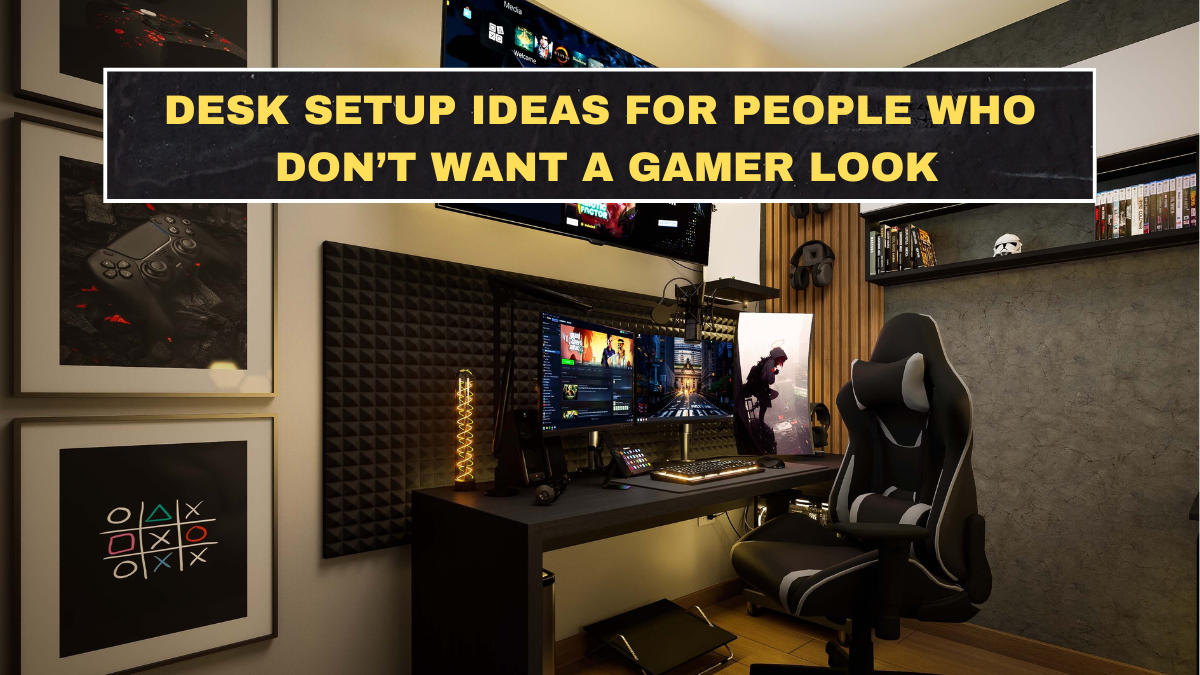
A lot of desk setup content has become visually loud and functionally silly. It assumes everyone wants RGB lights, giant monitor arms, racing-style chairs, and a workspace that looks like a streaming set. Most people do not. They want a desk that feels calm, works well, and does not make the room look like a teenager’s gaming channel. That is why non-gamer desk setups keep getting attention. The strongest current workspace advice keeps pointing toward cleaner lines, better ergonomics, and calmer visual environments rather than maximum gear. Wirecutter’s current home-office guidance focuses on practical essentials like ergonomic chairs, monitor positioning, and desk accessories that genuinely improve comfort, while 2026 home-office trend reporting highlights warm minimalism, quieter color palettes, and multifunctional furniture.
That matters because a good desk setup should reduce friction, not add identity clutter. The desk has one job: help you work, study, write, or think with less annoyance. If the setup looks impressive but feels distracting, cramped, or awkward to use, it is a bad setup. A calm workspace usually comes from a smaller number of better decisions: the right desk size, better lighting, useful storage, and restrained color and accessory choices. Current home-office design guidance from Livingetc and Better Homes & Gardens supports exactly that direction, emphasizing softer palettes, integrated storage, and spaces that feel livable rather than hyper-styled.
What makes a desk setup look non-gamer in the first place?
The biggest difference is restraint. Non-gamer setups usually avoid aggressive lighting, oversized branded accessories, highly angular furniture, and hyper-technical visual clutter. Instead, they lean on neutral colors, warm materials, cleaner cable management, and tools that disappear into the room rather than dominate it. That does not mean the setup has to be boring. It means the desk should look intentional instead of overstimulating. Livingetc’s 2026 workspace trend coverage points to warm minimalism, natural materials, and calmer work zones as the more current direction for home offices.
This is also where many people fool themselves. They think “minimal” means buying a white desk and removing personality. That is lazy design thinking. A non-gamer desk can still have character through a lamp, framed art, a plant, a wooden riser, or one well-chosen accent color. The point is to stop letting every object scream for attention. Better Homes & Gardens’ recent workspace guidance on home offices supports a more edited approach where comfort, function, and room integration matter more than tech spectacle.
Which furniture choices help a desk setup look calmer?
Start with the desk itself. A simple rectangular desk in wood, black, white, or a soft neutral usually works better than something with dramatic cutouts or “performance” branding. The chair should also look like it belongs in a home, not in an esports arena. Wirecutter’s office-chair recommendations focus on ergonomic support and long-session comfort, not gimmicky styling, and that is the correct priority. Ergonomics matter more than pretending a racing chair is somehow professional.
Storage also matters more than people admit. A desk looks calmer when loose paper, chargers, notebooks, and small accessories are contained. Current home-office trend coverage highlights integrated shelving, drawers, and multifunctional pieces because they let the setup breathe visually. If everything lives on top of the desk, the problem is not the desk aesthetic. The problem is lack of storage discipline.
| Desk setup element | What works for a non-gamer look? | Why it helps |
|---|---|---|
| Desk | Simple shape, neutral finish, clean lines | Keeps the room visually calmer |
| Chair | Ergonomic but understated | Supports comfort without looking loud |
| Monitor setup | One or two screens max, well positioned | Reduces visual bulk and neck strain |
| Lighting | Warm lamp + good task light | Feels calmer than harsh overhead lighting |
| Storage | Drawer unit, shelf, tray, file box | Prevents surface clutter |
| Accessories | Few useful items, not gear overload | Keeps the setup intentional |
Why is lighting so important in a non-gamer desk setup?
Because bad lighting makes even a clean desk look harsh and tired. One of the easiest ways to avoid the gamer look is to stop relying on colorful ambient LEDs as your main personality feature and instead use warm, practical lighting. Proper task lighting reduces eye strain, and softer layered light helps the workspace feel more like part of a home. Home-office design coverage in 2026 keeps returning to warmer, quieter lighting because it supports both comfort and aesthetics.
This does not mean all accent lighting is bad. It means it should not dominate the room. A desk lamp, a floor lamp near the workspace, or soft indirect lighting behind a shelf usually looks more adult and more useful than bright color effects everywhere. If your desk only looks interesting when the LEDs are on, the underlying setup is probably weak.
What accessories improve the desk without making it look like a gaming station?
Useful accessories beat expressive gear clutter almost every time. A laptop stand or monitor riser can clean up sightlines. A small tray keeps pens and daily items contained. A notebook, coaster, headphones stand, or document holder can all be worth having if they actually get used. Wirecutter’s current office-gear recommendations focus on practical tools like monitor arms, laptop stands, desk mats, and task lighting because these improve comfort and usability without forcing a specific visual identity.
A plant also helps more than people expect. It softens the edges of a desk and makes the setup feel less technical. Framed art, one shelf, or one pinboard can also add character without turning the desk into a visual mess. The mistake is adding five versions of the same “personality object.” One good lamp and one plant usually do more than a shelf full of figurines, gadgets, and novelty lights.
How should monitors and cables be handled?
Cleanly and honestly. A non-gamer setup usually benefits from fewer visible wires and less bulk. One monitor is enough for many people. Two can work if the desk size supports them. Beyond that, the setup often starts looking equipment-heavy rather than calm. Wirecutter’s ergonomic home-office guidance also supports positioning monitors correctly for comfort, which matters more than stacking screens just because it looks technical.
Cable management is not glamorous, but it matters. A few clips, an under-desk tray, or a simple route down one desk leg can dramatically improve how the whole setup feels. Most ugly desk setups are not ruined by the desk itself. They are ruined by visible chaos. If the cables look like a neglected power station, the aesthetic problem is obvious.
What mistakes make a desk setup feel too gamer or too cluttered?
The first mistake is overbuying accessories before solving the basics. The second is using lighting as a substitute for design. The third is choosing furniture based on online setup culture instead of how the room actually works. Current home-office guidance consistently favors calmer, more integrated setups over hyper-styled tech corners.
Another mistake is pretending every desk needs to become a brand identity. It does not. If you work at the desk, study there, or write there, the setup should support those tasks quietly. You are not building a set. You are building a workspace. That mindset alone usually fixes half the visual nonsense people create.
Conclusion
The best desk setup ideas for people who do not want a gamer look are the ones that prioritize calm, comfort, and visual restraint. A simple desk, an understated ergonomic chair, better lighting, cleaner cables, modest accessories, and a warmer overall palette will usually outperform flashy gear and trend-heavy styling. Current workspace trends are already moving in that direction because people want desks that feel useful and livable, not performative. The right setup does not need to look exciting. It needs to make work easier and the room better.
FAQs
What desk color looks least like a gamer setup?
Wood tones, black, white, and soft neutral finishes usually look calmer and more timeless than aggressive color accents or highly branded surfaces. Current 2026 home-office trend coverage leans toward warmer, quieter palettes.
Are monitor lights and LED strips a bad idea?
Not automatically, but they become a problem when they dominate the setup. Warm, practical lighting usually fits a non-gamer desk better than strong colorful ambient lighting.
What chair works best for a non-gamer desk setup?
An ergonomic office chair with a simple silhouette is usually the best choice because it supports long use without bringing the racing-chair look into the room. Wirecutter’s office-chair guidance reflects that priority.
How do I make my desk setup look cleaner fast?
Reduce surface clutter, hide cables, limit accessories to useful items, and add one warm light source. Those changes usually improve the look faster than buying more desk gear.